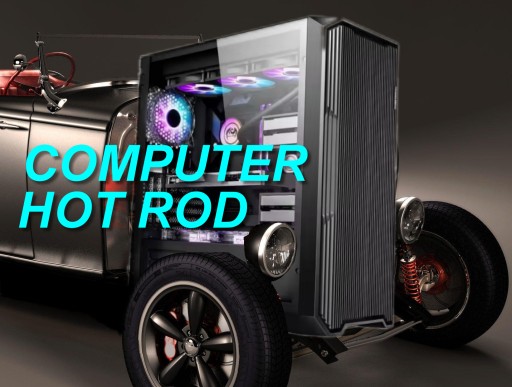
In today’s world, you don’t need a $3,000 rig to feel like you’re driving a hot rod. At ComputerHotRod, we believe the real thrill comes from squeezing every last drop of power out of the hardware you already own — or upgrading smartly without breaking the bank.
Whether your PC is struggling with slow boots, laggy games, or sluggish multitasking, these expert tips will get you peak performance in 2026. We’ve split them into Top 5 Hardware and Top 5 Software optimizations. Most cost $0–$100 and deliver results you’ll notice immediately.
Let’s rev it up!
Top 5 Hardware Tips for Budget Performance Gains
1. Ditch the HDD and Install an NVMe SSD. Nothing transforms a PC faster than moving from a spinning hard drive to a fast SSD. Boot times drop from minutes to seconds, and app loading becomes instant.
How to do it: Clone your old drive with free software like Macrium Reflect, swap in a budget NVMe (like a 1TB WD Blue SN580 for ~$60), and install in your M.2 slot.
Why it saves money: One cheap drive often outperforms a whole new system. Your existing CPU and GPU suddenly feel twice as fast.
2. Max Out Your RAM (16GB Minimum, 32GB Ideal). Low RAM forces your PC to use slow virtual memory. Adding cheap sticks is the easiest performance upgrade on the planet.
How to do it: Check your motherboard’s max capacity in BIOS or Crucial’s scanner tool, then snap in matching DDR4/DDR5 sticks (often $30–$50 for 16GB).
Pro tip: Enable XMP in BIOS (see tip #4) to run at full advertised speed — free extra performance!
3. Clean Dust & Reapply Thermal Paste. Dust-clogged fans and dried-out thermal paste cause throttling. A 30-minute cleanup keeps temperatures low and clocks high.
How to do it: Open the case, blast compressed air through fans and heatsinks, then replace old paste with a $5 tube of Arctic MX-6.
Result: Sustained high performance during long gaming or rendering sessions — no expensive liquid cooler required.
4. Unlock Free Performance in the BIOS Modern motherboards hide massive gains behind simple toggles.
Key settings to enable:
- XMP/EXPO (for full RAM speed)
- Performance Boost Overdrive (PBO on AMD)
- Resizable BAR / Smart Access Memory (huge GPU boost in games).
How to do it: Restart, hit Delete to enter BIOS, find the OC or Advanced tab, enable the options, save & exit.
Zero cost, big results: Many users see 10–20% gains instantly.
5. Add a Budget Air Cooler or Improve Case Airflow. A $30–$40 Thermalright Peerless Assassin or Phantom Spirit outperforms stock coolers on almost any CPU.
How to do it: Swap the cooler and add 2–3 cheap case fans ($10 each). Ensure good front-to-back airflow.
Bonus: Pair with a simple undervolt in BIOS for cooler, quieter, and still-fast operation.
Top 5 Software Tips for Instant Speed (All Free)
1. Disable Startup Programs & Bloatware. Too many apps launch at boot and steal resources.
How to do it: Press Ctrl+Shift+Esc → Startup tab (or Settings → Apps → Startup). Disable everything except your antivirus and essentials. Uninstall pre-installed junk via Settings → Apps.
Payoff: Faster boot times and more RAM/CPU for the apps you actually use.
2. Free Up Disk Space with Storage Sense. Full drives slow everything down.
How to do it: Go to Settings → System → Storage → Storage Sense (turn on) and run a cleanup. Use the built-in Disk Cleanup tool or type “cleanmgr” in the Start menu.
Extra: Uninstall unused apps and delete temporary files — Microsoft’s free tools handle it automatically.
3. Update Windows, Drivers & Apps. Outdated software is a silent performance killer.
How to do it: Settings → Windows Update → Check for updates (install everything, including optional driver updates). Update GPU drivers directly from NVIDIA/AMD/Intel sites.
2026 note: With Windows 10 end-of-life behind us, staying current on Windows 11 unlocks new efficiency features.
4. Switch to “Best Performance” Mode & Tweak Visual Effects Windows loves fancy animations — until they slow you down.
How to do it:
- Settings → System → Power & battery → Power mode → Best performance.
- Search “Adjust the appearance and performance of Windows” → Select “Adjust for best performance.”
Result: Snappier interface and more power for real work/gaming.
5. Use Microsoft PC Manager (One-Click Optimization) Microsoft’s own free tool bundles cleanup, startup management, and RAM optimization.
How to do it: Download from the Microsoft Store (or official site), run a scan, and apply recommended fixes.
Pro move: Combine with Task Manager’s Efficiency Mode on heavy processes for extra gains.
Ready to Build Your Hot Rod PC?
These 10 tips will give most systems a dramatic boost — often feeling like a brand-new machine — for under $100 total. Start with the free software tweaks today, then tackle one hardware upgrade per weekend.
Your PC deserves to run at full throttle without the premium price tag.
Have questions about your specific setup? Drop a comment below or reach out — we love helping fellow builders squeeze every ounce of power from their rigs.
Ready for more? Check our guides on budget PC builds or contact us for a custom hot-rod consultation.
Leave a Reply
You must be logged in to post a comment.